
Scan formula structure
Identify function calls, strings, array constants, structured references, workbook references, and bracket depth.
Translate Excel function names, error values, argument separators, and regional syntax while preserving references, strings, and calculation logic. No workbook upload required.

=IFERROR(SUM(A1,B1),0)
=WENNFEHLER(SUMME(A1;B1);0)
500canonical functions
18supported languages
8Excel versions
100%local processing
Paste a formula and choose its source and destination.
Everything runs inside this browser tab.
Formulas are extracted in this browser only
Enter a formula to generate its localized version.
Function mappings and compatibility details will appear after translation.
Structure and reverse-translation checks do not calculate formulas or validate argument counts. Test the result in Excel. Understand these checks →
Search canonical English identifiers or localized names, check version compatibility, and save the functions you use most. Favorites stay in this browser.
Preparing the function index…
Try a canonical or localized name, or turn off “Favorites only.”
Identify function calls, strings, array constants, structured references, workbook references, and bracket depth.

Resolve each function to its canonical English identifier, then find its localized target name.

Check quotation marks and all three bracket types, then reverse-translate and flag unrecognized functions.
Formula Atlas currently connects 500 canonical function identifiers across 18 languages. Counts show registered name mappings, not Excel’s total function support. Identical names can be valid across languages. Missing mappings use English and are flagged; Japanese has only 60 registered entries. Data and verification scope →
Go beyond translating a single formula. Formula Atlas turns import, translation, validation, and export into one clear, secure local workflow.
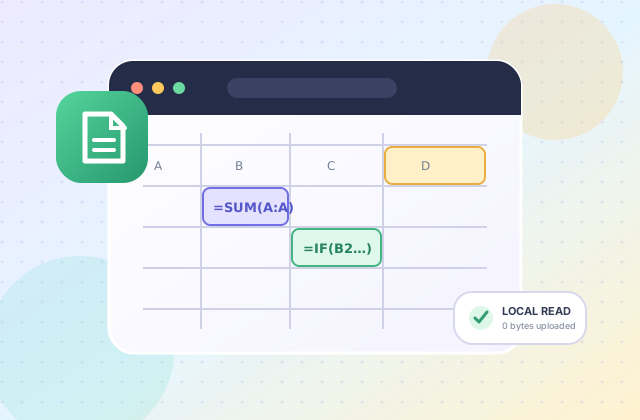
Extract sheets, cell addresses, and formulas in your browser without uploading or modifying the original file.

Install the PWA to use the core interface, dictionary, and translation engine without a network connection.

There is no formula upload endpoint and no content storage. Language and format preferences remain in this browser.
Formula Atlas has no formula upload endpoint, stores no input content, and requires no account. Refreshing clears the current formula.
Read the full Privacy PolicyStart with an explained example, choose the regional format used by your Excel installation, then check the result with known input values.
Translate a nested sum without changing cell references. See why commas become semicolons.
Follow the worked example →Separate unknown function names, unsupported Excel versions and regional separator errors.
Find the cause →Extract formula text and cell addresses locally. Export a review CSV; the original workbook is never rewritten.
Understand XLSX import →